

Linux Terminal 2026
Same philosophy, less friction. Drop-in upgrades you can install this afternoon
tl;dr
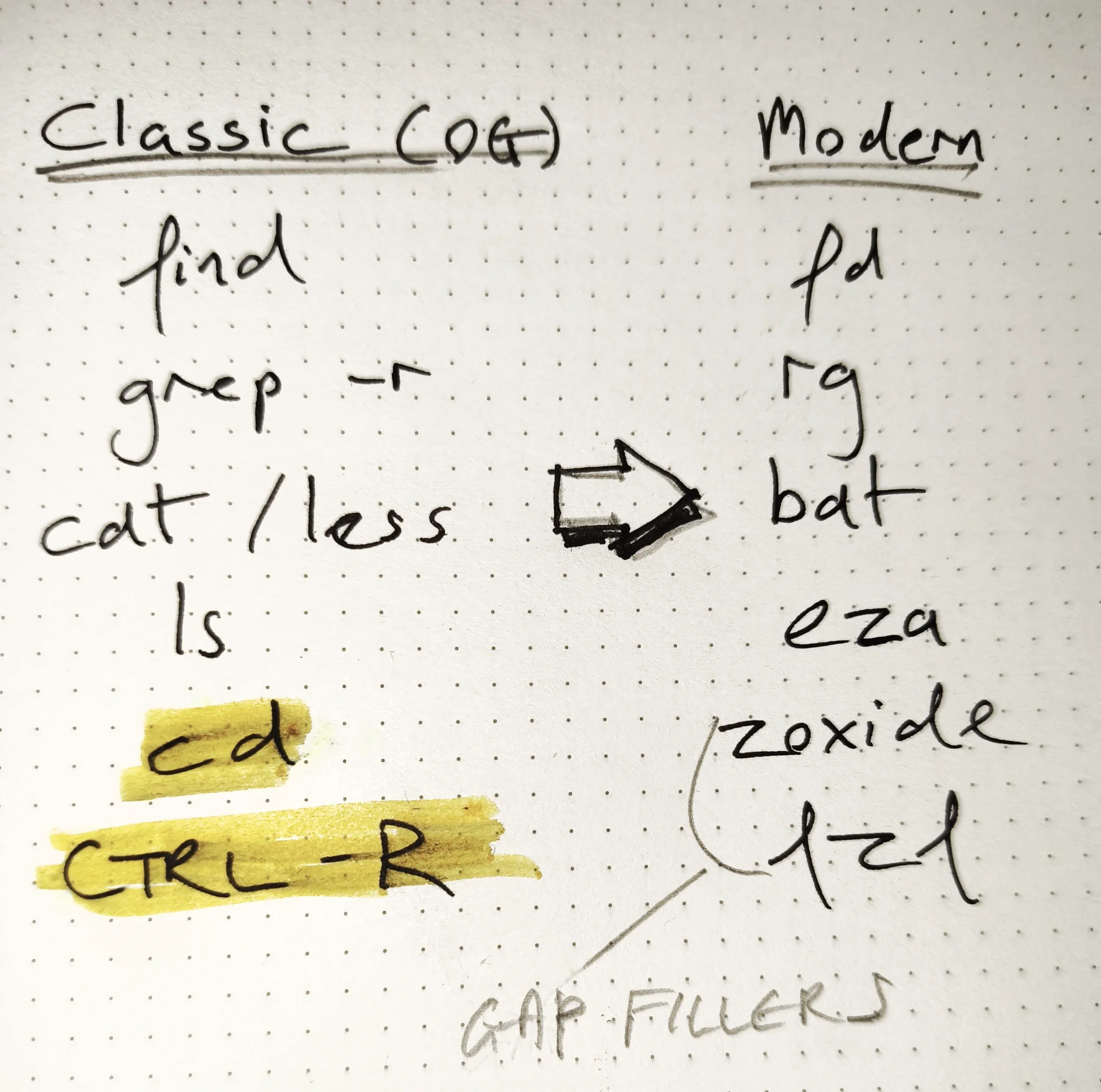
The first four rows in the table are classic Unix commands along with their modern drop-in replacements. The new tools are faster, more efficient and better looking. However, the stand-out rows are the last two, where fzf and zoxide appear. They fill gaps the original toolkit never had to bother with.
When Unix first appeared in 1970, nobody had megabytes of command history to navigate, or a home directory ten directories deep.
Both fzf and zoxide change the two things you do most at the terminal: searching through history and moving between directories. Once you've used them enough to commit them to muscle memory, the old way feels broken.
“
Write programs that do one thing and do it well.
Write programs to work together.
Write programs to handle text streams, because that is a universal interface.”
zoxide - smarter cd
The cracks start to show with cd when you have a large directory structure to move around. You end up with a massive, unwieldy tree that you generally only visit a few parts of at any one time. The reality is that we have complex file structures that we move around in a simple way. To deal with that, the tool uses the concept of Frecency, a portmanteau of Frequency and Recency. That is, how often do you go to a directory, and when did you last go. You can find some good examples of how to use it a the zoxide github repository.
In the case when you want something more interactive (eg when multiple directories with the same name), there is the interactive command zi which lists all the options in a fzf window,
fzf - a fuzzy finder
This tool is my stock answer for the often asked ‘what Terminal tool could you not live without?’ question. It doesn’t do anything too groundbreaking, just takes some data as an input and lets you select some thing(s) from it. Having a fast and efficient way of looking through a lot of stuff is constantly useful.
The most common use case is just to get hold of some files quickly, for example, if you’re thinking “…there’s a FreeCAD file that I half remember working on that is in this directory somewhere” then just use the command:
> fd -e FCStd | fzf
which simply finds all files in the current directory (and sub-directories) with the extension FCStd and then gives you a fuzzy finder to help you zone in on it.
Once you get the hang of the idea that it takes a lot of text, and then lets you select a subset of it, the applications keep coming. As an extreme example, this is the single line (broken up for clarity) that lets me take all the music in my music library and then select the albums that I want to have on a playlist that I can rhythmically nod to as I type (using ncmpcpp).
alias newmusic='
  fd  . "/data/nfs/shared/music/" \
     -t d \
     --min-depth 2 -d 2
   |
rg -v "@"
   | sed "s|/data/nfs/shared/music/||"
   |
fzf --multi --bind "ctrl-a:select-all"
   |
while IFS= read -r dir; do
    fd -t f -e mp3 -e flac -e m4a . "/data/nfs/shared/music/$dir"
done
   |
sort > $HOME/.mpd/playlists/newmusic.m3u
'
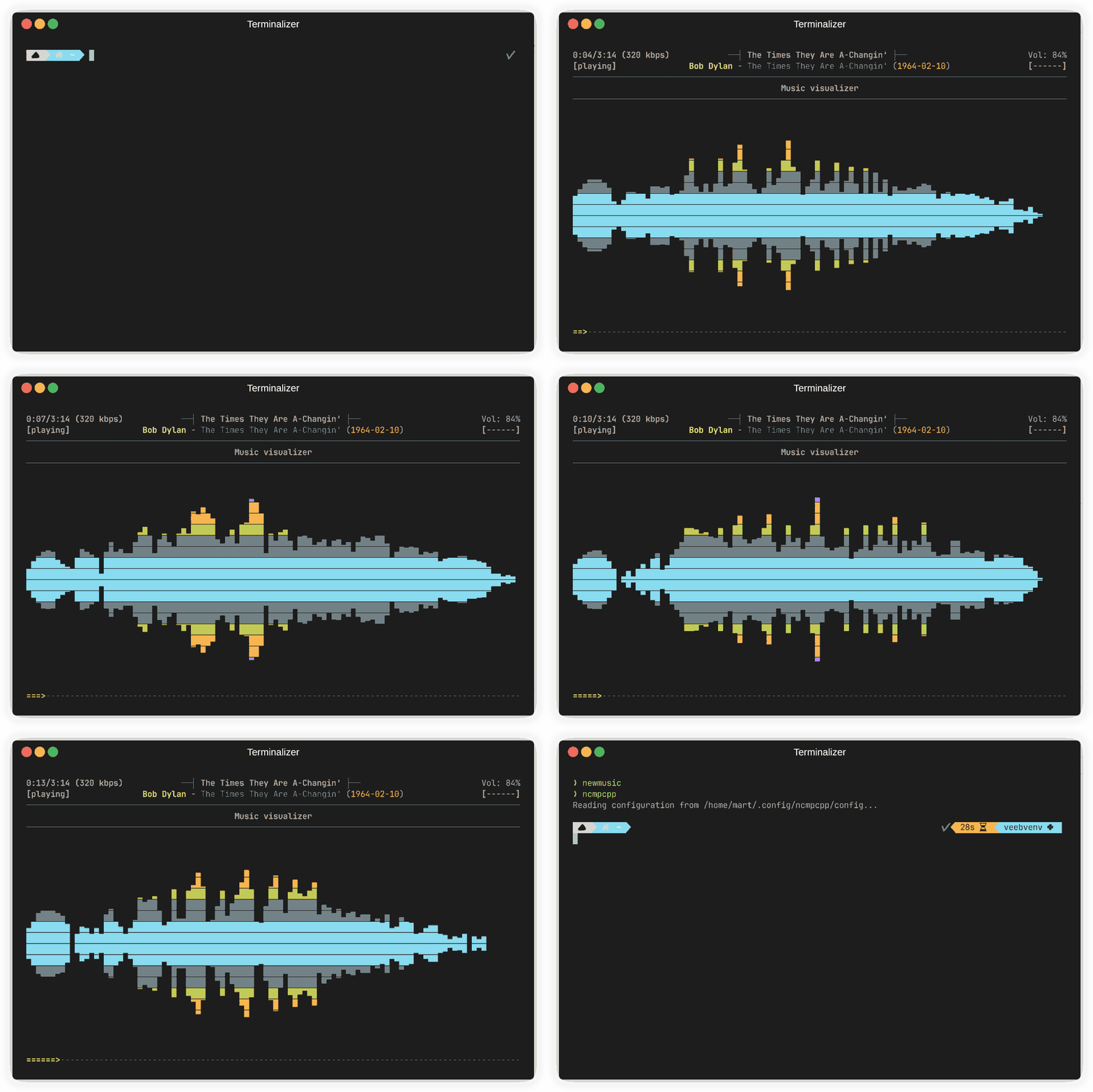
Here is a video of that command in action and the music being opened in nmpcpp. A problem solved with one command and an existing set of efficient bricks, without that dirty vibe-coding smell.
Post-it Notes
If you’re anything like me, there’s a bit between thinking ‘I must use this useful command line tool’ and remembering the incantation that makes it work (the flags for tar spring to mind). So here are your simple summaries of a few useful commands for both tools (found by running the tldr command):
zoxide - smarter cd
# Jump to highest ranked directory matching "foo"
z foo

# Match multiple keywords
z foo bar

# Interactive selection (requires fzf)
zi foo

# cd to a subdirectory starting with foo
z foo/

# cd one level up
z ..

# cd to previous directory
z -

# Tab completion for interactive selection
z foo<SPACE><TAB>fzf - fuzzy finder
# Find files in a directory
find path/to/dir -type f | fzf

# Search running processes
ps aux | fzf

# Select multiple files (<Shift Tab>)
find path/to/dir -type f | fzf --multi > file

# Start with a query
fzf --query "query"

# Pattern: start with core, end with go|rb|py
fzf --query "^core go$ | rb$ | py$"

# Exclude pyc and require travis
fzf --query '!pyc travis'